Notes on music & practice
MusicXML vs PDF: Which Works Better for iPad Practice?
Choose the right sheet music format for iPad practice. Compare MusicXML and PDF, export a playable score, and fix common import problems.

Choose PDF when you want to read a particular edition as printed. Choose MusicXML when you want a compatible app to understand the notes, play the score, or work with individual parts and measures. Keeping both versions is often useful: one preserves the page you know; the other supports a different kind of practice.
The distinction matters when you move sheet music onto an iPad. A file can look like a score without containing the musical information a practice app needs. Here is how to choose a format, prepare an import, and check it before you start learning from the playback.
What is the difference between MusicXML and PDF?
A PDF preserves a document’s presentation. It may contain scanned pages, text, or vector graphics, but a normal PDF reader does not automatically know which marks represent a quarter note, a rest, or a second violin part.
MusicXML is a structured score format. It can describe pitches, durations, measures, instrument parts, and notation details. That gives a compatible application material to interpret musically. The MusicXML documentation distinguishes information about a note’s sound from information about how it appears on the page. W3C MusicXML notation guide.
| Your task | MusicXML | |
|---|---|---|
| Read an edition with its original layout | A strong fit | Layout may change during import |
| Keep a scan of handwritten markings | Preserves the visible page | Do not assume those markings transfer |
| Hear the notes played back | Requires an additional recognition or interpretation step | Supported when the app understands the score |
| Select a musical part or loop measures | Usually requires additional processing or manual setup | Can use the score’s encoded structure |
| Check editorial details | Useful visual reference | Compare the imported result with the source |
Neither format guarantees a correct performance. Playback depends on both the file’s contents and the receiving app’s interpretation.
What do .musicxml, .xml, and .mxl mean?
.musicxml is the recommended extension for an uncompressed MusicXML score. Older files may use .xml, but that extension also belongs to many unrelated document types. .mxl is the compressed MusicXML format: it packages score data in a defined ZIP-based container. W3C compressed MusicXML guide.
Renaming sonata.pdf to sonata.musicxml does not convert the contents. Similarly, a random XML file is not a musical score just because its name ends in .xml.
You normally do not need to unzip an .mxl file yourself. Give the original file to an app that supports compressed MusicXML.
How to prepare sheet music for iPad playback
1. Start with the best available source
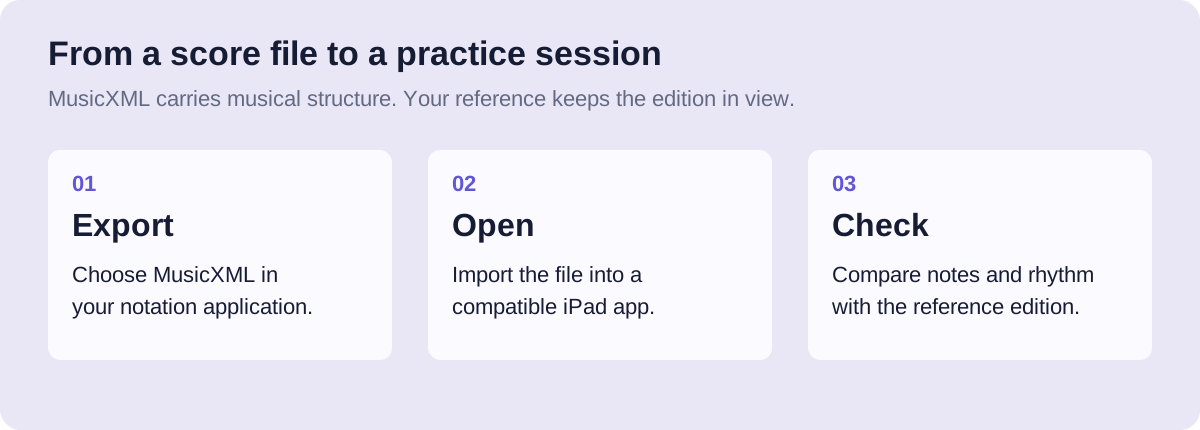
If you or your teacher have the score in a notation application, export MusicXML from that source. This avoids asking recognition software to reconstruct notes from a page image.
If someone sends you a PDF, ask whether a MusicXML export is available as well. Request the relevant instrument parts and check that you have permission to use the file. A freely accessible download does not automatically carry permission to copy or distribute the music.
2. Export the musical score
In MuseScore Studio, open the score and use its export options to select MusicXML. Compressed and uncompressed exports are supported. Exact export controls can vary with the installed version; the official file-export guide is the reference for the current workflow.
Save a PDF reference too if the edition’s layout or markings matter. Give both files recognizable names, such as quartet-rehearsal-part.musicxml and quartet-reference.pdf.
3. Make the file available in Files
Transfer the export to a location your iPad can access through Files. If it is stored with a cloud provider, make sure the actual file is available, rather than relying on a filename or preview alone.
In Solfena, import the compatible file from Library or open it from Files. The app keeps its own local copy. Solfena currently accepts compatible .musicxml, .xml, and .mxl scores; it does not import PDFs or photographs.
4. Check one short section before the whole piece
Choose a familiar passage and compare the imported notation with the reference. Check the key and time signatures, note values, rests, and the beginning of each part. Listen slowly enough to follow the printed rhythm.
For an ensemble score, check which part you are viewing. If an instrument transposes, do not assume written and sounding pitches should be identical. Ask a teacher or consult the score’s notation settings if that difference is unfamiliar.
Then inspect a section containing repeats, tuplets, or other details that matter to your piece. A correct opening measure does not prove that every later instruction imported as intended.
Common import problems and what to try
| What you notice | A useful next step |
|---|---|
| The app rejects an XML file | Check that it is an actual MusicXML export, not another XML format or a renamed PDF |
| The notes look right but page breaks move | Compare the musical content; receiving apps can lay out the same score differently |
| A part is missing | Check whether the export contained the full score or only one extracted part |
| A scan converted badly | Correct the recognition result in a notation editor before exporting again |
| Playback differs at a repeat or direction | Compare that instruction with the app’s supported notation; do not learn the mismatch as the piece |
MuseScore’s documentation notes that transferred scores may need layout cleanup even when musical information transfers. That is a reason to inspect the import, not automatically a sign that the entire file is unusable. Working with MusicXML files.
Turn the imported score into a practice session
Once the import is checked, choose one passage rather than immediately playing the full piece repeatedly. Listen, identify a specific question, and use a comfortable tempo. Our guide to looping difficult measures gives a worked example of building that session.
If you are preparing an ensemble part, include the measures before your entrance. The time spent waiting belongs to the music too; try the counting-rests exercise alongside the full score.
Can MusicXML replace a PDF edition completely?
Not always. Keep the PDF when you need the exact layout, editorial comments, or handwritten annotations. Use MusicXML for supported musical interactions, and compare important details with the reference.
Does MusicXML work offline?
The format does not require an internet connection. Whether your workflow works offline depends on the app, where the file is stored, and which features you use. Solfena stores imported scores locally and uses local playback; optional live coaching has separate device and model requirements.
Will every MusicXML file play correctly in every app?
No. Export quality, notation support, and playback interpretation vary. Check the parts and passages you intend to practice before treating the playback as a reference.